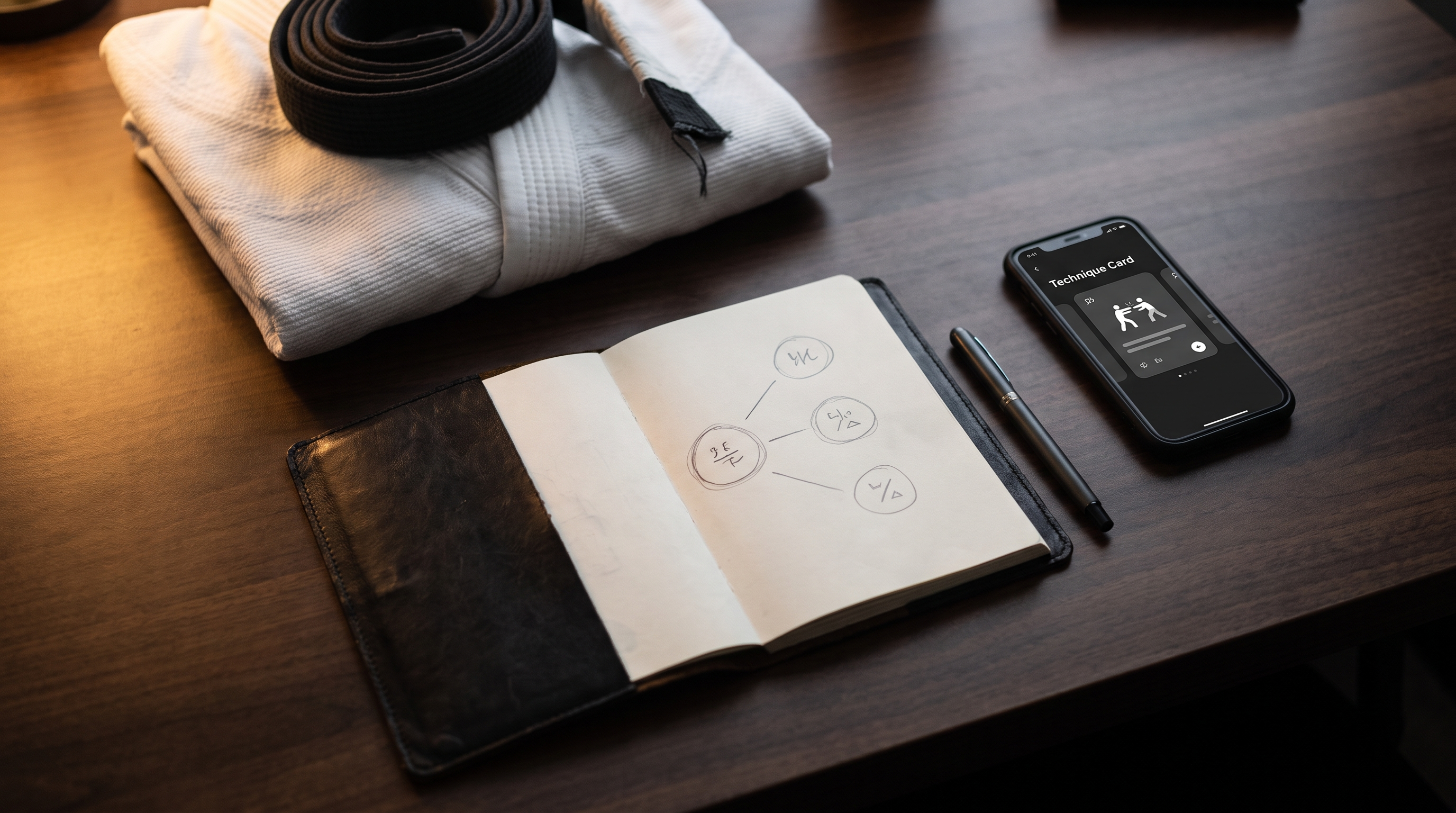
Best Ways to Organize BJJ Techniques by Position (Not by Class Date)
TL;DR. Organizing your BJJ notes by the date you learned each move is why you can't find anything when you need it. A position-based system — top mount, closed guard, side control, back — mirrors how techniques actually get used on the mat. The five common approaches (paper notebook, folder system, spreadsheet, dedicated position tree, and a purpose-built app like BJJ Memo) each solve retrieval differently. Pick the one you'll actually maintain for six months, not the one that looks best on paper.
Key takeaways
- Class-date filing feels natural but forces you to remember when you learned a move to find it — that's backwards.
- A position tree groups techniques by where the fight lives (guard, mount, back, side control, standing), which matches how you'll search under pressure.
- Paper notebooks win on friction and focus but lose on search and video.
- Spreadsheets scale well and are free, but require discipline and don't handle video timestamps gracefully.
- Dedicated apps handle video, tags, and revision cues in one place — at the cost of a subscription and lock-in.
- Whatever system you choose, the only one that works is the one you'll open every week.
- Retrieval speed matters more than storage. If a move takes more than about a minute to find, you'll stop looking.
Every grappler eventually hits the same wall. You've been training for a year, you've watched hundreds of instructionals, you've scribbled notes after class — and when your training partner locks you in a specific guard on Tuesday night, you can't remember a single thing you learned about it. The fix isn't more content. It's a better filing system. This article compares the five most common ways grapplers organize their BJJ notes, so you can pick a system that actually helps you find the technique you need, when you need it.
Founder disclosure
I built BJJ Memo, so I have an obvious bias. I'll be specific about where BJJ Memo genuinely helps and where a cheap notebook or a free spreadsheet will serve you better. The goal of this article is a system that works — not a signup.
Who each system is for
- Paper notebook — grapplers who process by writing, train at one academy, and don't watch many instructionals outside class.
- Folder system on your phone or laptop — video-heavy self-studiers who screenshot instructionals and dump them into folders (by class date, coach, or topic).
- Spreadsheet (Google Sheets, Notion, Airtable) — analytical types who like tagging, filtering, and building their own structure from scratch.
- DIY position tree — practitioners who want a visual map of their game and are willing to maintain a mind-map or wiki (Notion, Obsidian, Miro).
- Dedicated BJJ app (e.g., BJJ Memo) — grapplers who watch a lot of YouTube instructionals, want video timestamps and revision built in, and don't want to design the system themselves.
Comparison table
| System | Best for | Video support | Search by position | Revision built in | Cost | Maintenance |
|---|---|---|---|---|---|---|
| Paper notebook | Focus, retention through writing | None | Manual (index page) | You build it | One-time, cheap | Low friction, hard to search |
| Phone/laptop folders | Screenshot hoarders | Native | Only if you name files well | None | Free | Degrades fast without rules |
| Spreadsheet | Data-minded grapplers | Links only | Yes, via filters | You build it | Free (Sheets) | Medium — requires discipline |
| DIY position tree (Notion/Obsidian) | Visual thinkers | Embeds | Yes, native to structure | Optional plugins | Free to low | High setup, medium upkeep |
| BJJ Memo app | Video-heavy learners | YouTube-native with timestamps | Yes, position-first | Yes, review flow | Free tier available | Low — cards auto-generate |
Strengths of each option
Paper notebook. Writing by hand slows you down, which is exactly why it works for retention. You can't copy-paste your way through a note, so the details have to pass through your head. A cheap notebook plus a hand-drawn index page ("Guard p.1–20, Mount p.21–30…") beats most digital systems for one-academy hobbyists.
Folder system. If you already screenshot instructionals and rip clips, folders are the path of least resistance. Named well (closed-guard_hip-bump_lachlan.mp4), they're searchable. Named badly (IMG_4432.png), they're a graveyard.
Spreadsheet. A single Google Sheet with columns for position, technique, key detail, source, last drilled is one of the most underrated tools in BJJ. You can filter to "everything I've learned from half guard bottom" in two clicks. It's free, portable, and yours forever.
DIY position tree. Notion or Obsidian let you build a true tree — Guard → Closed Guard → Sweeps → Hip Bump — with cross-links (kimura from closed guard also lives under Kimura → Setups). If you enjoy the meta-work of building systems, this is the most satisfying option.
Dedicated BJJ app. A purpose-built tool ships with the structure already in place. You paste a YouTube URL, the app pulls the transcript, and you get a structured card filed under a position. No spreadsheet columns to design, no folder conventions to enforce.
Remember. The best system is the one you'll still be using in six months. Fancy structures die from neglect; boring ones survive.
Where BJJ Memo is honestly stronger
Not adjectives — reasons.
- YouTube-native capture. Most systems ask you to watch a video, then write notes, then file them. BJJ Memo takes a URL and produces a structured card with tappable timestamps of the visual moments. Fewer steps between watching and revising.
- Position-first structure by default. You don't have to design the taxonomy. Cards file into positions (guard, mount, back, side control, standing) out of the box, so retrieval by position works from day one.
- Revision cues. A review flow surfaces cards before your next session instead of letting them decay in a folder.
- One place for the whole loop. Capture → structure → file → review lives inside a single app, which lowers the maintenance tax that kills DIY systems.
Where BJJ Memo is honestly weaker
Mandatory section — and useful for you.
- Not a substitute for writing by hand. If you retain best through pen-on-paper, the app is a supplement, not a replacement. A notebook forces slower processing.
- Live class notes. BJJ Memo is built around video capture. If your primary source is what your coach shows in person, a small notebook you scribble in right after class is still the fastest input method.
- Deep customization. Power users who want a bespoke tag system, custom relationships between techniques, or a personal wiki will get further with Notion or Obsidian.
- Offline-only workflows. If you refuse to keep techniques on a phone or want zero cloud, paper wins by definition.
- It's a young app. A well-maintained spreadsheet you've kept for years has content depth no new app can match on day one.
Final recommendation by user profile
- White belt training a couple of times a week, learning mostly in class: paper notebook + a one-page index. Add the app later if you start watching YouTube seriously.
- Blue belt studying instructionals on YouTube weekly: BJJ Memo or a well-maintained folder system. Pick based on how much you enjoy naming files.
- Competitor building a personal game: BJJ Memo for capture and revision, plus a spreadsheet or Notion page for your A-game map. Use both; they solve different problems.
- Coach organizing curriculum for students: spreadsheet or Notion, because you need to share and structure by class/week — a position tree helps students, a class calendar helps you plan.
- Self-learner without an academy nearby: BJJ Memo + as much safe drilling as you can get with a partner. See our guide on how to learn BJJ from YouTube for structuring solo study.
For more on the underlying problem, read how to remember BJJ techniques and how to take notes in BJJ. Beginners should start with white-belt survival tips.
Remember. Position before submission — and position before class date. Filing techniques by where they happen beats filing by when you learned them, every time.
Frequently asked questions
Why is organizing BJJ techniques by position better than by class date?
Because in a live roll, you don't think "what did I learn on March 14?" — you think "I'm stuck in bottom side control, what were my escapes?" A position-based system matches how your brain queries under pressure. A date-based system only works if your recall is already perfect, which is the exact problem you're trying to fix.
What's the simplest position tree for a beginner?
Five buckets: Standing/Takedowns, Top Guard/Passing, Bottom Guard, Top Pins (Mount, Side Control, Back), and Bottom Pins (Mount, Side Control, Back). That's it. Add sub-branches (closed guard vs. half guard vs. butterfly) only when a bucket gets too big to scan in one screen.
Should I use a spreadsheet or a dedicated app?
A spreadsheet is free, portable, and yours forever, but you have to build and maintain it. A dedicated app is faster to start and handles video timestamps natively, but you depend on the developer. Try the spreadsheet first — if you stop opening it within a month, the app is a better fit for you.
How often should I review my technique notes?
Ideally the day before you train and again the morning of. Even a few minutes of scanning your library before class primes your brain so a move you saw on YouTube last week actually shows up when the opportunity opens on the mat.
Do I still need a coach if I have a great organization system?
Yes. A filing system helps you remember what you were taught — it doesn't teach you to feel weight distribution, timing, or grip fights. For real feedback and safety, train the technique at a legit academy with a qualified coach. BJJ Memo (or any system) helps you revise, it doesn't replace mat time.
What's the biggest mistake people make with their BJJ notes?
Writing too much and reviewing too little. A short card you actually reread beats a beautifully detailed page you never open again. Optimize for retrieval, not for the notes themselves.
Ready to stop losing techniques between sessions? Next time you watch an instructional, save it as a technique card in BJJ Memo so it's filed by position and waiting for you before your next roll — available on iOS and Android.
For real feedback and safety, train the technique at a legit academy with a qualified coach — BJJ Memo helps you remember and revise, it doesn't replace mat time.
Last updated 2026-08-20.